Teams searching for Gainsight alternatives are usually solving one of three separate problems, and the shortlist depends on which one it is.
Gainsight Alternatives in 2026: How to choose the one that fits your team

What are the best Gainsight alternatives in 2026?
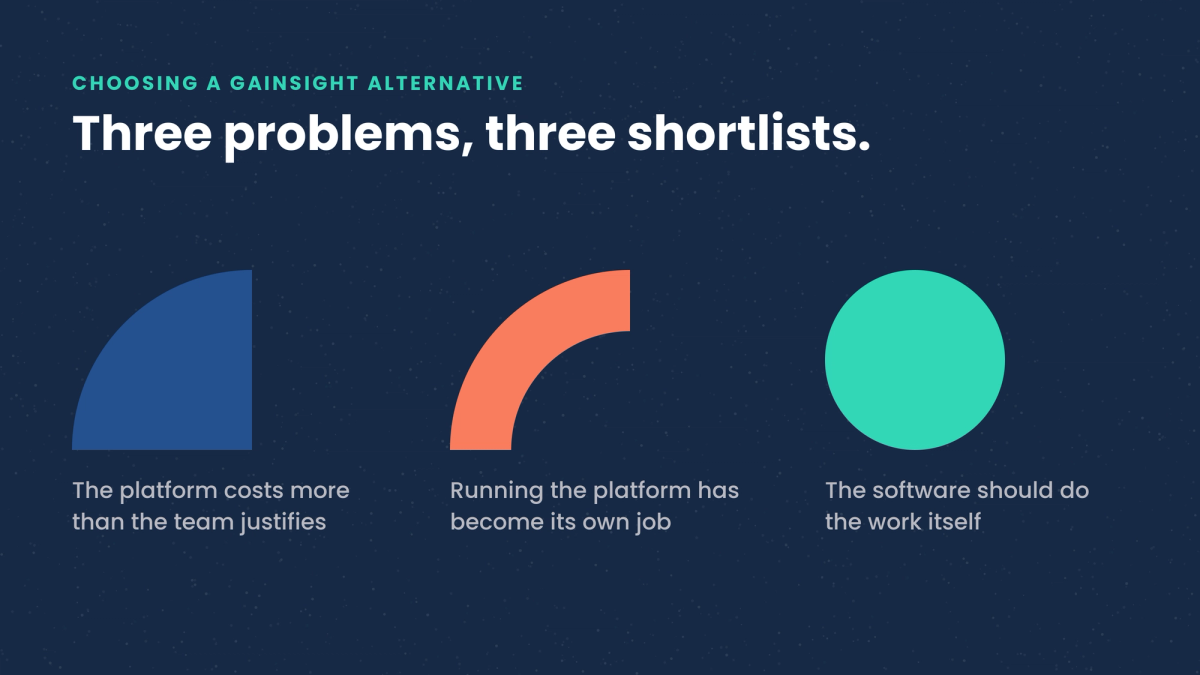
The shortlist depends on which problem sent you looking. Teams that leave Gainsight, or decide against it during evaluation, are usually solving one of three separate problems: the platform costs more than the size of the team justifies, running it has become a job in itself, or the team wants software that takes action on accounts on its own. Those three problems point at three different sets of tools, and the tools inside each set rarely compete with the ones in the others.
That is the honest answer to the question, and it is why a ranked list of ten platforms tends to be less useful than it looks. A tool that suits a four-person customer success team covering a thousand self-serve accounts is a poor fit for a twelve-person team covering ninety enterprise accounts, and both of those teams search the same phrase.
Every entry below describes what the tool is organized around and the team shape it tends to suit. Pricing is left out, and so are review scores. Both change often, both are quoted inconsistently across the pages that publish them, and neither can be stated reliably from outside the vendor. The parts of this decision that hold still are the shape of the tool and the shape of the team, so those are what the entries cover.
The three problems behind the search
Cost against team size. Gainsight is built for large post-sales organizations with dedicated operations support, and the pricing follows that. Teams that adopted it while growing fast, then found the seat count and the contract outpacing the size of the customer success function, tend to want something with the same core workflow and a lighter commercial footprint.
The cost of operating it. A configurable platform needs someone to configure it. Health score models get built, then drift as the product changes. Playbooks get written, then stop matching how the team works. Where nobody owns that upkeep, the platform gradually becomes a place where data is stored rather than a place where work happens. Teams in this position want something that holds its shape with less attention.
Wanting the software to do the work. This is the newest of the three, and it is a different request from the first two. Dashboards and health scores describe the book. Someone still has to read the description, decide what to do, and go do it. Teams hitting this wall have accurate reporting and a coverage problem: the accounts that get worked are the ones a person had time for that week. What they want is a system that carries out the work across the whole book.
A side-by-side view
The table below sorts the field by what each option is organized around, which is the part that determines fit.
| Option | Organized around | Tends to suit |
|---|---|---|
| Gainsight | A configurable system of record for large post-sales organizations | Enterprise teams with dedicated operations support |
| ChurnZero | The renewal motion, playbooks and in-application messaging | Teams with a defined renewal process and a regularly used product |
| Vitally | A configurable data model and the views built on top of it | Teams with someone who will build and maintain the structure |
| Planhat | One system across customer success, account management and services | Companies wanting a single system for everything after the sale |
| Totango | Prepackaged programs a team turns on | Teams wanting a defined starting point out of the box |
| Custify | A narrower scope with lighter setup and administration | Small teams without a dedicated operations person |
| ClientSuccess | The core health, renewal and reporting workflow | Mid-market teams wanting that central workflow done cleanly |
| Velaris | AI features built into the platform from the start | Smaller teams comfortable adopting a younger product |
| HubSpot | The customer record a team already works in | Teams whose post-sales work stays close to the CRM |
| Trig | Agents that carry out revenue work across every account | Teams whose constraint is coverage rather than reporting |
ChurnZero
ChurnZero is a customer success platform built around the renewal motion in subscription businesses. It combines account health tracking with automated playbooks and in-application messaging, so a customer success team can run structured touch sequences against segments of the book without writing each one by hand.
It tends to suit teams that already have a defined renewal process and want it running consistently. Companies with a product that customers log into regularly get more from the in-application side than those whose product is used occasionally or by a small number of administrators.
Vitally
Vitally is a customer success platform with an emphasis on the underlying data model and on configurable views of it. Teams can shape how accounts, people and product usage relate to each other, then build the reporting and the workflows on top of that structure.
That flexibility rewards teams with someone who enjoys building the structure and has the time to maintain it. Where that person exists, the system fits the business closely. Where the work of maintaining it falls between roles, the configuration ages, which is the same condition that sends teams looking for alternatives to larger platforms in the first place.
Planhat
Planhat is a customer platform positioned across the whole post-sales surface, covering customer success, account management and professional services in one system. The data model is flexible enough for companies whose post-sales structure does not divide neatly into the usual roles.
It suits organizations that want a single system for everything after the sale, particularly where several post-sales functions share accounts and need the same view of them. Teams looking only for renewal management will find more in it than they need.
Totango (now Odie)
Totango now trades as Odie, and its old product URLs redirect to the new brand. The platform is organized around prepackaged programs a team turns on, covering common post-sales motions such as onboarding, adoption tracking and renewal preparation. The intent is to shorten the distance between buying the software and having a working process inside it.
It suits teams that want a defined starting point and are content to adapt their process to the program rather than building the process from scratch. Teams with an unusual post-sales motion will spend the setup time they saved on adapting the programs instead.
Custify
Custify is a customer success platform aimed at smaller business-to-business software companies. The scope is deliberately narrower than the enterprise platforms, which keeps the setup and the ongoing administration lighter.
It suits small customer success teams that want health tracking, alerting and basic automation working quickly, without a dedicated operations person to run it. Companies expecting to grow into a large, segmented post-sales organization should check how far the model stretches before committing.
ClientSuccess
ClientSuccess concentrates on the core customer success workflow for mid-market teams: account health, renewal forecasting, and the reporting that a customer success leader takes into a revenue meeting.
It suits teams whose requirement is that central workflow done cleanly, with less surface area to configure and maintain. Teams wanting deep product-usage analysis or in-application messaging will be evaluating it alongside something else.
Velaris
Velaris is a newer entrant in the category, built with AI features in the platform from the start rather than added to an existing product. The positioning targets smaller customer success teams that want assistance with the analysis and the writing that surrounds account management.
It suits teams comfortable adopting a younger product in exchange for a more current approach. Any newer platform is worth evaluating on the parts of the workflow the team depends on most, since breadth accumulates over time.
HubSpot
HubSpot appears on this list because a large share of the teams searching for Gainsight alternatives already run their customer relationship management there. For companies whose post-sales work stays close to the customer record, the combination of the customer relationship management system, its service tooling and its automation covers a meaningful portion of the job without introducing a second platform.
It suits teams whose accounts are managed primarily through the customer relationship management system and whose post-sales motion is closer to account management than to product-led customer success. Teams that need product usage as a first-class input will find that part thinner than a dedicated platform.
Trig
Trig is AI for revenue teams, built for the people doing revenue work rather than for engineers. It does the work that delivers revenue across go-to-market and post-sales, and it runs from Slack, so no technical skill is needed to direct it.
The shape is different from the platforms above, and it answers the third of the three problems. A team states a goal, and Trig plans the work, builds a team of specialist agents to carry it out, and learns from the results. Each agent has its own expertise and its own tools, and they hand tasks between them until the job is finished. The agents complete work inside the tools the company already uses, acting across the customer relationship management system, email, calendar and support, and extending to more than a thousand other tools.
Underneath that sits the Trig Context Engine, which unifies customer relationship management, product, support and billing data into a single living profile of every account and deal. It is what lets a specialist agent working on one part of a renewal read the same current picture as every other agent on the same job. Trig also measures whether each action met its goal and applies what it learns to the next account.
Control stays with the team. Trig requests specific information about specific accounts, and it cannot access data, invoke tools or take action without explicit approval. Getting started is simple: book a free AI audit and product demo, and see Trig working on your own customer data.
It suits revenue teams whose constraint is coverage: more accounts than the team can work properly, and a reporting layer that already tells them so. Teams whose requirement is a system of record for customer success operations, with health scores and structured playbooks owned by an operations function, are better served by one of the platforms above.
What to check before committing
Four questions separate the options faster than a feature comparison does.
- Who operates it after the first quarter? A configurable platform assumes an owner. Name that person during the evaluation, and if the name is unclear, weight the lighter options higher.
- What data does it need to be useful, and do you have it? Most of these tools depend on product usage data flowing in reliably. Where that pipeline does not exist yet, the platform starts as a more expensive view of the customer relationship management system.
- What happens on the accounts nobody opens? This is the coverage question, and it is the one a demo rarely answers. Ask what the system does on a Tuesday for an account nobody has looked at in six weeks.
- How much of the work does the software carry? Reporting tools tell a team where to look. Systems with agents in them carry out the work across accounts and report what changed. Both are legitimate purchases, and confusing one for the other is the most common source of disappointment in this category.
What the choice comes down to
Most of the difficulty in this decision comes from treating it as one question when it is three. A team paying more than its size justifies should compare the platforms with the same workflow and a lighter footprint. A team drowning in configuration should compare the ones that hold their shape without a dedicated owner. A team with good reporting and poor coverage is looking for something that does the work, and that is a different purchase from either of the others.
Whichever of the three describes the situation, the useful evaluation question stays the same. Ask what the system does for the accounts nobody has time to open, because that is where most of the unmanaged revenue sits.