
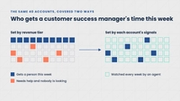
Put agents to work across your existing tools.
Connect customer data, send outreach, deliver briefs, and update records through the systems your team already uses.


Extend your reach with MCP.
Give agents access to 1,500+ connectors through MCP to gather customer data and take action in your existing tools.
Salesforce
Accounts, contacts, and opportunities for briefs and CRM updates.
HubSpot
Customer records and deal activity for briefs and CRM updates.
Amplitude
Product usage and adoption for onboarding and renewal reviews.
Mixpanel
Customer behavior and engagement for account monitoring.
Zendesk
Support tickets and their history for account reviews.
Intercom
Customer conversations and support history for account context.
Gong
Call recordings and transcripts for meeting briefs and follow-ups.
Gmail
Customer emails for context, and drafts for outreach.
Slack
Alerts, briefs, and updates sent to your team’s channels.
Outlook
Email and calendar activity, and drafts for outreach.
Stripe
Subscriptions, invoices, and payments for renewal preparation.
Google Drive
Shared documents and account files for account context.

Pipedrive
Deals, contacts, and activity history, with calls and notes logged.

Attio
Company and contact records, with meeting notes added to them.
Dynamics 365
Accounts, contacts, and opportunities from Microsoft’s CRM.
Zoho CRM
Accounts, contacts, and deals, with notes written back.

Close
Leads, calls, and emails logged against each account.

Copper
Contacts, opportunities, and activity logged against each account.

Affinity
Relationship history and pipeline for each organization.

Folk
Companies and contacts, with notes and follow-ups.

Keap
Contact records and activity, kept current by agents.
Odoo
Customer records, leads, and invoices in one place.
PostHog
Product events and feature usage for account monitoring.

Segment
Customer event data collected across your product.
Google Analytics
Site and app traffic from your customers’ users.

FullStory
Session data showing where customers struggle in your product.

Statsig
Feature gates and experiments affecting each account.

LaunchDarkly
Feature flags showing which accounts have which features.
Sentry
Errors affecting customers, for proactive outreach.

Userflow
Onboarding flows and checklist progress for new accounts.

Chameleon
In-app tours and how customers respond to them.

Productboard
Feature requests and roadmap status linked to customers.

Freshdesk
Support tickets and their status for account reviews.
Help Scout
Support conversations and customer history for account context.

ServiceNow
Incidents and service requests affecting an account.

Front
Shared inbox threads with customers for account context.

Gorgias
Support tickets and customer messages across channels.

Zoho Desk
Support tickets and recent customer interactions.

Crisp
Live chat conversations with customers for account context.
Typeform
Survey and form responses from your customers.
SurveyMonkey
Survey results and NPS responses from your customers.
Google Calendar
Upcoming customer meetings that trigger meeting briefs.
Zoom
Scheduled meetings and recordings with your customers.
Google Meet
Customer meetings and their details for meeting preparation.
Calendly
Booked meetings and scheduling links for customer outreach.

Fireflies
Meeting transcripts and summaries for meeting briefs.

Fathom
Meeting summaries and action items for follow-ups.
Webex
Meetings and rooms where customer conversations happen.
Cal.com
Booked meetings and availability for customer outreach.

Dialpad
Phone calls with customers and their history.
Microsoft Teams
Alerts, briefs, and updates sent to your team’s channels.
WhatsApp
Customer messages sent through WhatsApp Business.
Google Chat
Alerts and updates posted to your team’s spaces.
Mailchimp
Audiences and campaign activity for customer outreach.
Customer.io
Segments and lifecycle messages for customer outreach.
SendGrid
Email delivery and engagement for customer outreach.
Brevo
Email and SMS campaigns for customer outreach.

Klaviyo
Email lists and campaigns for customer outreach.

lemlist
Outreach campaigns and replies for customer follow-ups.
QuickBooks
Invoices and payment status for each customer.
Xero
Invoices and payment status for each customer.

Recurly
Subscriptions, plans, and invoices for renewal preparation.

Maxio
Subscriptions and overdue invoices by customer.

Zoho Books
Invoices and unpaid balances for each customer.

FreshBooks
Invoices and payments for each client.
PayPal
Payments and invoices from your customers.
Braintree
Transactions and subscriptions for each customer.
Square
Payments and invoices from your customers.
Sage
Invoices and account balances for each customer.
Razorpay
Payments and subscriptions for each customer.
Google Sheets
Account lists and tracking sheets, read and updated.
Notion
Account plans and meeting notes, read and written.
Airtable
Account trackers and records, read and updated.
Google Docs
Briefs, reports, and proposals written to documents.
SharePoint
Team sites and shared documents for account context.
Excel
Spreadsheets of account data, read and updated.
Snowflake
Customer data in your warehouse, queried with SQL.
Confluence
Internal pages and playbooks for account context.
BigQuery
Customer data in your warehouse, queried with SQL.
Databricks
Customer data in your lakehouse, queried with SQL.
Tableau
Dashboards and reports on customer metrics.
No tools match your search.
Not listed? Trig connects to 1,500+ tools through MCP. Get in touch to check yours.
Ask usConnect the data your agents need.
Account records, product activity, and conversations supply the context for meeting preparation, customer outreach, and account reviews.
Account ownership, contract details, renewal dates, and billing information.
Usage patterns and support history that inform onboarding, renewal, and expansion reviews.
Upcoming meetings, previous commitments, and open concerns from notes and messages.



Deliver completed work where it belongs.
Choose where each assignment sends messages, briefs, and updates so they reach the right people and systems.
Read prepared account information in Trig or send it to a connected messaging or document tool.
Send customer messages through connected communication tools, using the actions authorized for the assignment.
Write account fields, notes, and next steps directly to connected CRM records.
Send requested alerts to your chosen destination when a specified condition is detected.

“Our first campaign saw a 100% open rate from our customers and it drove initial product activation from 30% to 83%. Trig has changed the game for us—it’s doing amazing things for our product.”
Control what agents can read and change.
Authorize each task’s connections and actions, and see blockers as soon as human input is needed.
Read access
Choose which connected sources agents can use for account information.
Permitted actions
Review whether an assignment may create documents, send messages, or update records before it runs.
Clear blockers
See the affected account, what is blocking the task, and the step needed to resolve it.
Put Trig’s customer data to use elsewhere.
Access account records and attributes through the API to build them into your own systems and workflows.
Retrieve account lists or individual records, including their attributes. Create and revoke API keys in Trig to manage access.
Frequently asked questions.
What tools does Trig integrate with?
Trig connects to CRMs, data warehouses, product analytics, support, messaging, calendar, and billing tools. That includes Salesforce, HubSpot, Snowflake, BigQuery, Redshift, Segment, Mixpanel, Amplitude, Pendo, Zendesk, Intercom, Gmail, and Slack.
What if a tool we use isn’t listed?
Trig can reach more than 1,500 other tools through MCP, the standard that lets AI agents read from and act in other software. If you need a connection that isn’t available yet, contact us.
Does Trig work with Salesforce and HubSpot?
Yes. Trig reads accounts, contacts, deals, and ownership from Salesforce or HubSpot, and agents write activity, notes, next steps, and field updates back to the records.
Does Trig work inside Slack?
Yes. Trig can flag a risk or opportunity to the account owner in Slack, and agents can use Slack alongside email and your CRM when they carry out an assignment. Your team keeps using Slack as it does today.
What can agents read and change in our tools?
You decide. You choose which connected sources agents can read, and you approve whether each assignment may create documents, send messages, or update records before it runs. If a connection stops a task, you see which account was affected and why.
Does Trig have an API?
Yes. You can access Trig’s account records and attributes through the API and build them into your own systems and workflows.
We do the setup for you.
Learn how we scope your implementation and map your first agent assignment.